Delivery Order/ Receipt / Stock Picking Line View Odoo App helps users to show incoming operation line, outgoing operation line, detailed operation line and all operation lines using custom filters and group by option. Users can easily work with list view, kanban view, form view, search view, pivot view, graph view and calendar view.
Also Read: Delivery Date Filter on Sales Analysis Report
Features
1) Display Delivery Order Line in All Views
User can see incoming operation, outgoing operation, detailed operation and all operation lines by the list view, kanban view, form view, search view, pivot view, graph view and calendar view.
2) Easy to Filter and Group By Delivery Order Line
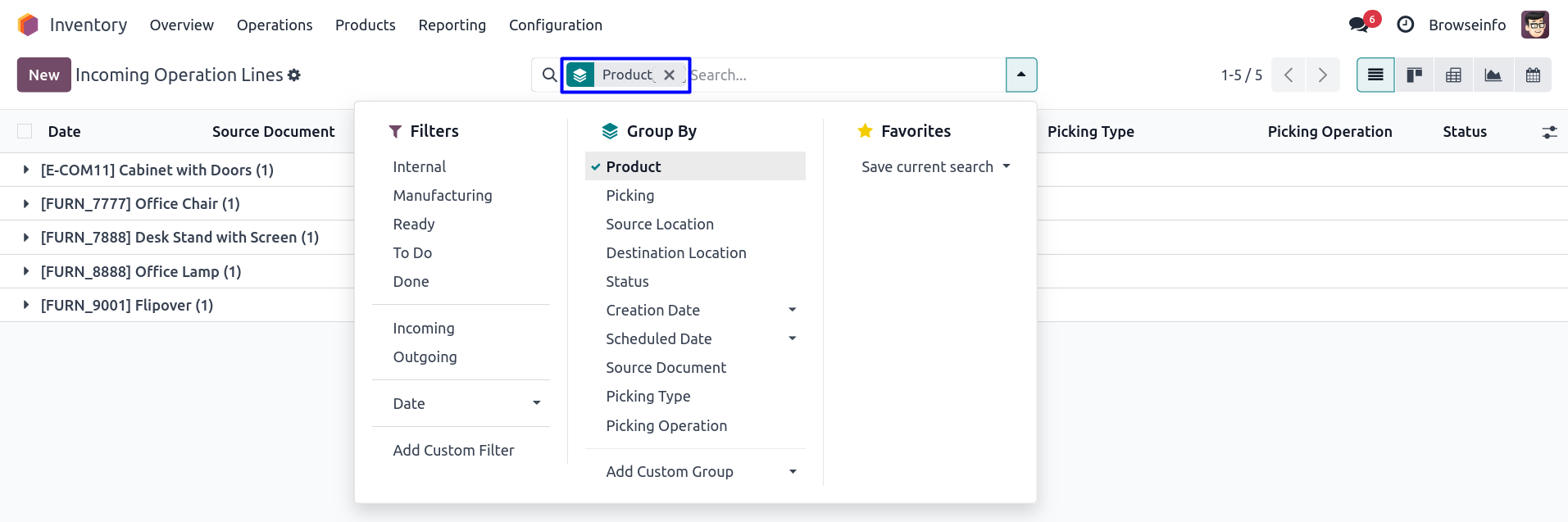
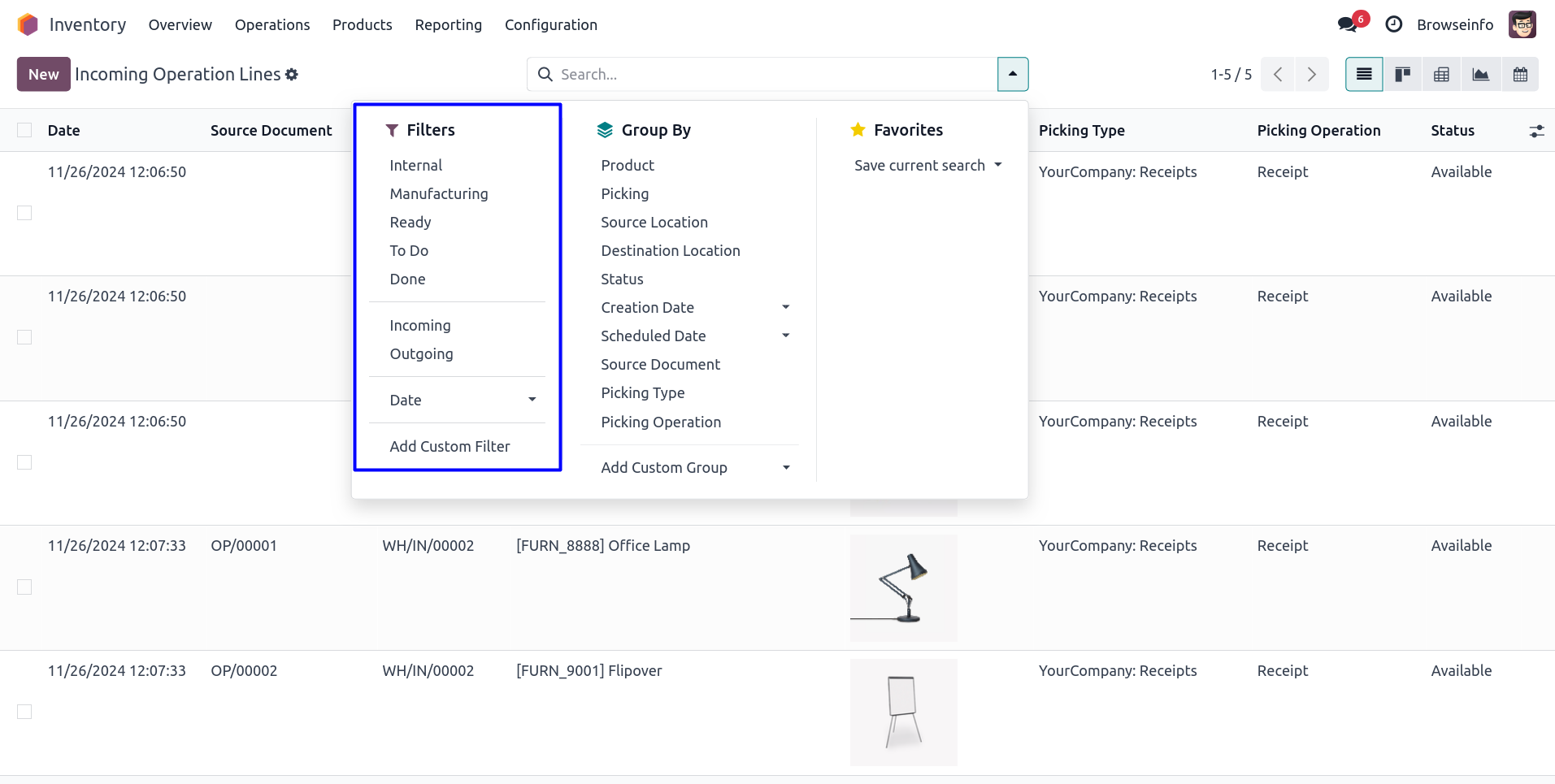
User can easily use custom filters and group by records of incoming operation, outgoing operation, detailed operation and all operation lines.
Why Use Delivery Order Line Views in Odoo?
Managing inventory operations efficiently requires quick access to stock movement details. Standard Odoo stock picking screens provide information at the document level, but many warehouse users need visibility at the operation line level. This module provides dedicated views for incoming operation lines, outgoing operation lines, detailed operation lines, and all operation lines, making inventory tracking more efficient.
Warehouse managers can easily analyze product movements, monitor pending operations, review completed transfers, and identify discrepancies without opening each picking individually. The application helps reduce manual effort and improves operational visibility across warehouse processes.
Benefits of Operation Line Analysis
Operation line-based reporting allows businesses to perform more detailed inventory analysis compared to traditional picking-level views. Users can monitor quantities, products, locations, operation types, scheduled dates, and stock movement history from a centralized interface.
Key benefits include:
- Better visibility of stock movement records.
- Faster warehouse operation tracking.
- Improved inventory accuracy.
- Simplified stock auditing process.
- Easy monitoring of incoming and outgoing goods.
- Enhanced reporting and operational analysis.
- Quick identification of delayed transfers.
Multiple View Types for Better Inventory Management
Different users prefer different ways of analyzing inventory data. Some users prefer tabular information while others require graphical or analytical reports. This module provides multiple views to support various operational requirements.
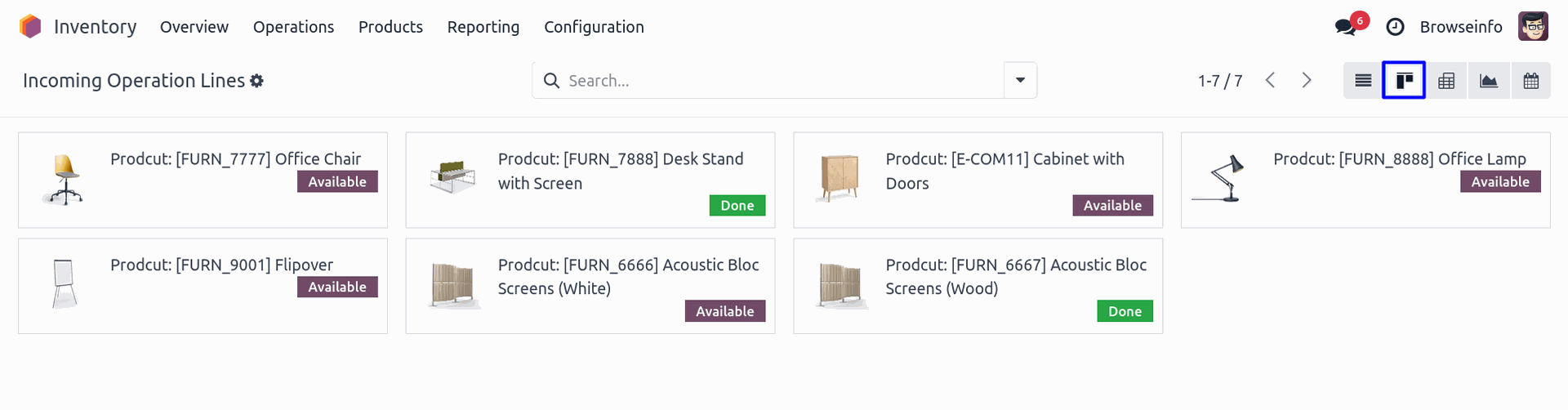
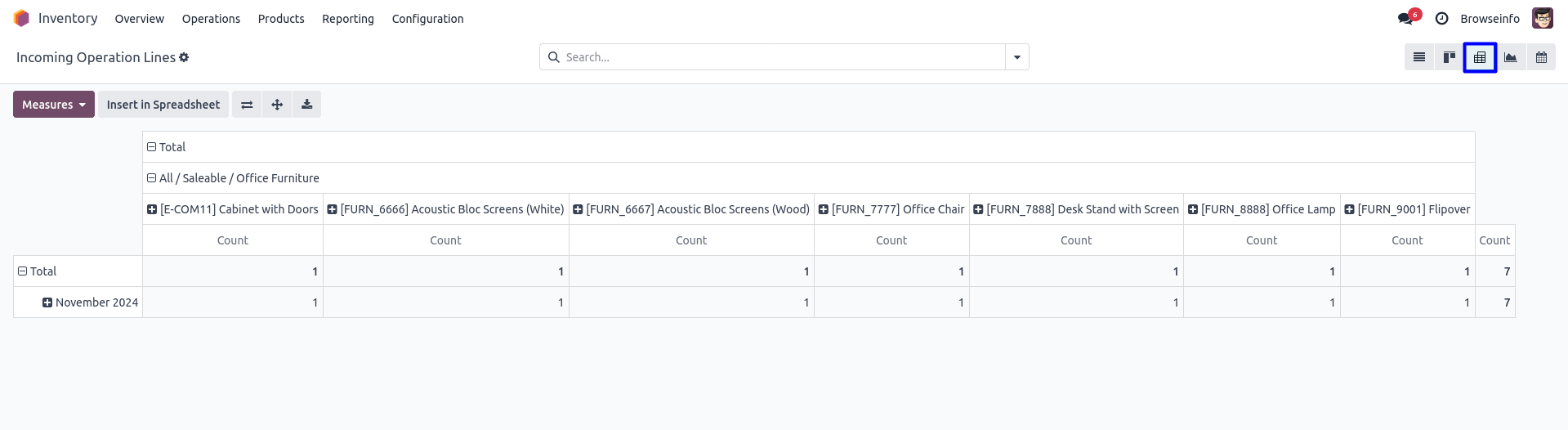
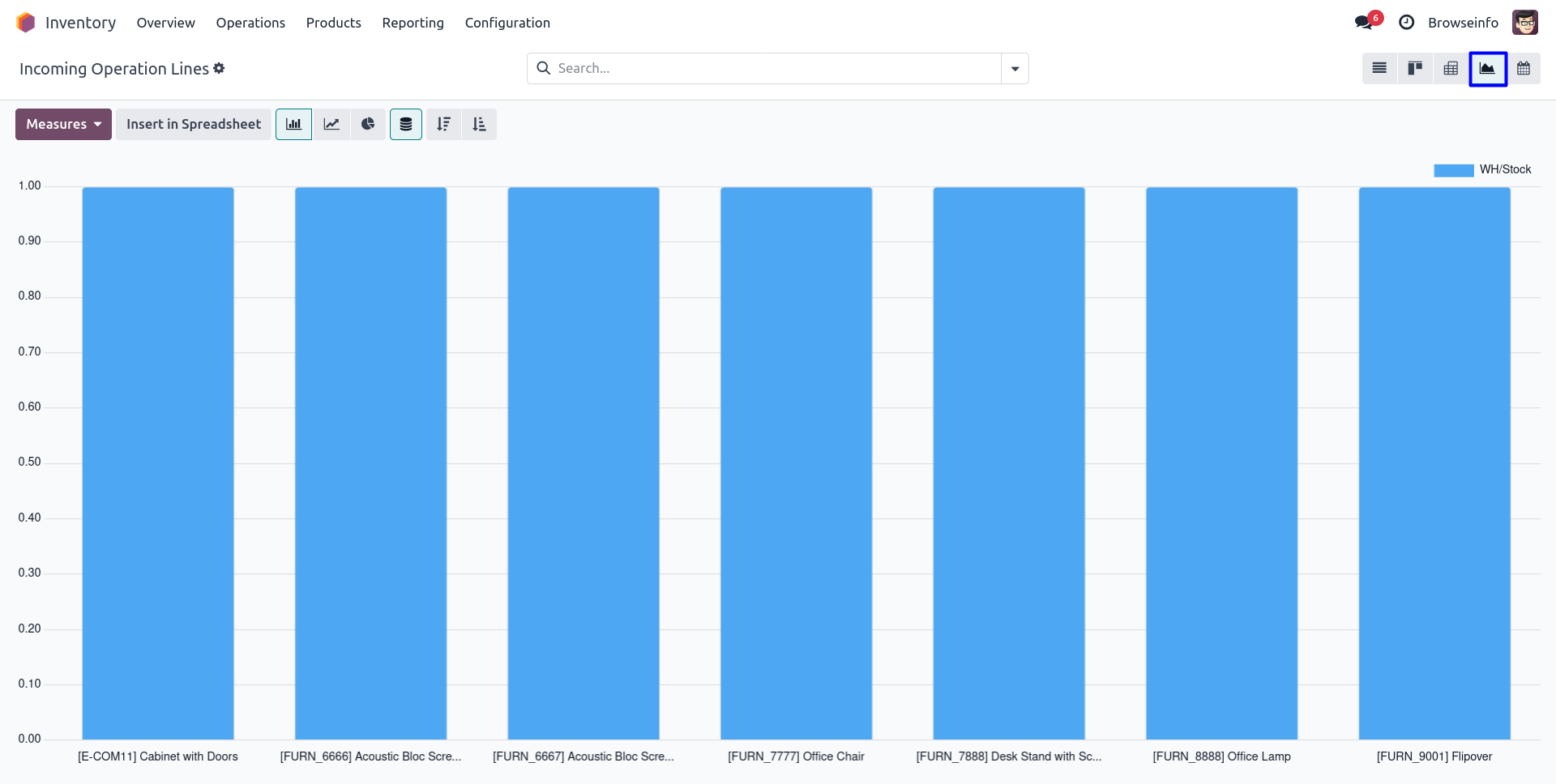
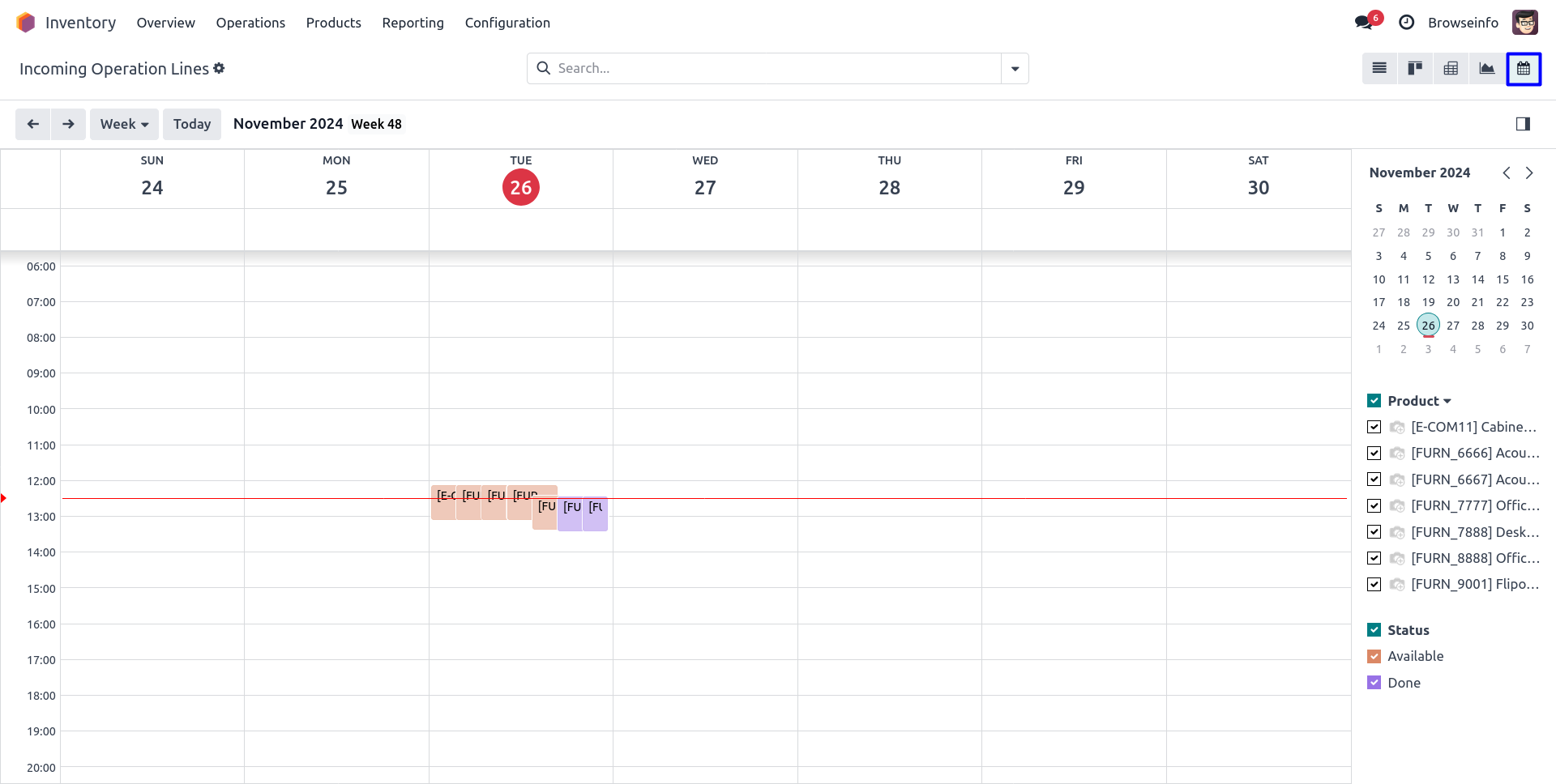
The list view offers detailed records for day-to-day operations, while kanban view provides a visual representation of stock movement activities. Pivot and graph views help management teams analyze trends and inventory performance metrics. Calendar view enables users to monitor operations based on scheduled dates and deadlines.
Streamlined Warehouse Operations
The module helps warehouse teams access operational data quickly without navigating through multiple menus. Dedicated menus for incoming operations, outgoing operations, detailed operations, and all operation lines reduce the time spent searching for records.
Users can perform inventory analysis, stock verification, operational monitoring, and reporting activities from a single location. This improves productivity and helps organizations maintain better control over warehouse activities.
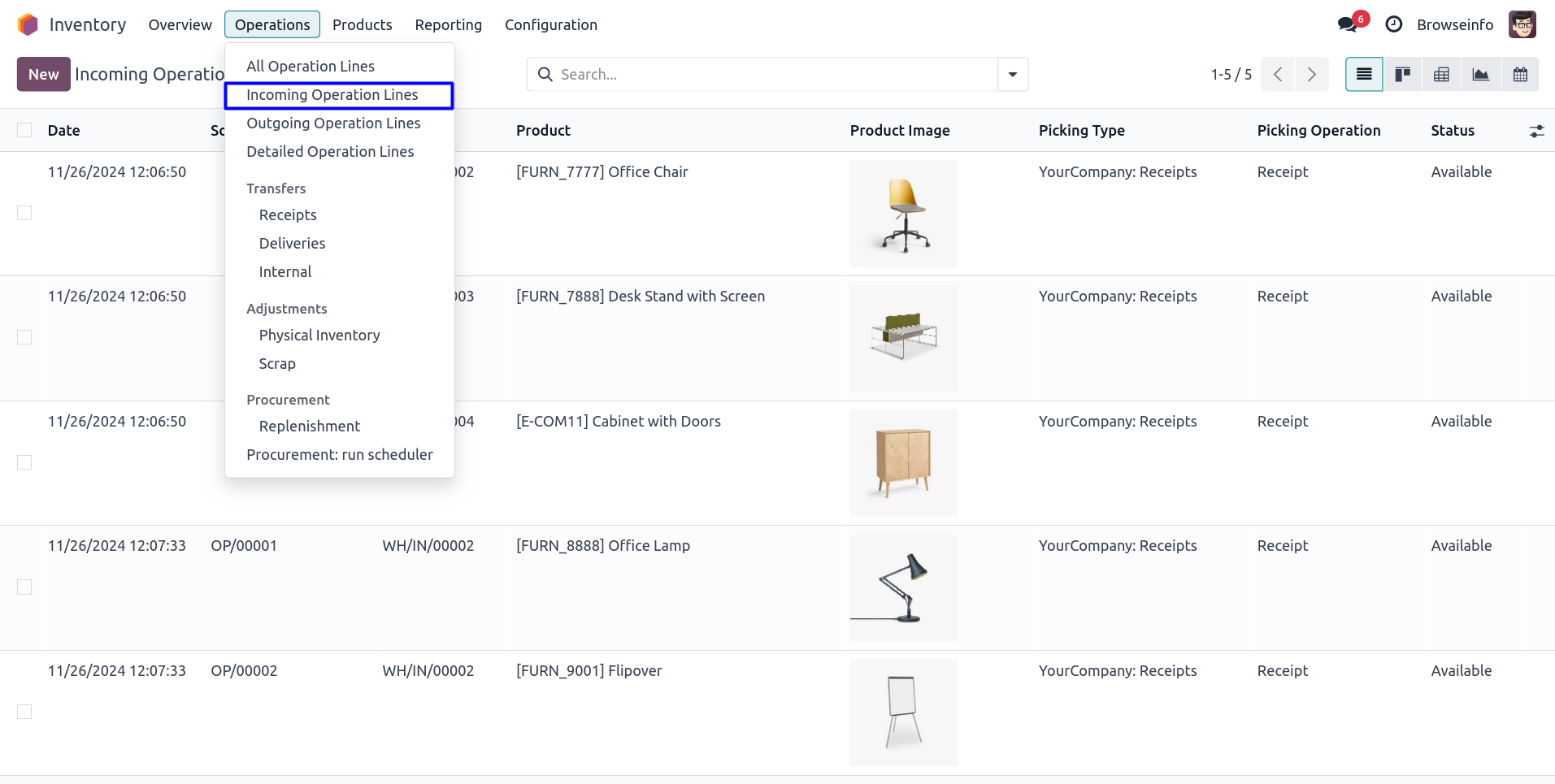
List View of Incoming Operation Lines
Goto Inventory -> Operations -> Incoming Operation Lines menu in that you can see incoming operation lines in list view.
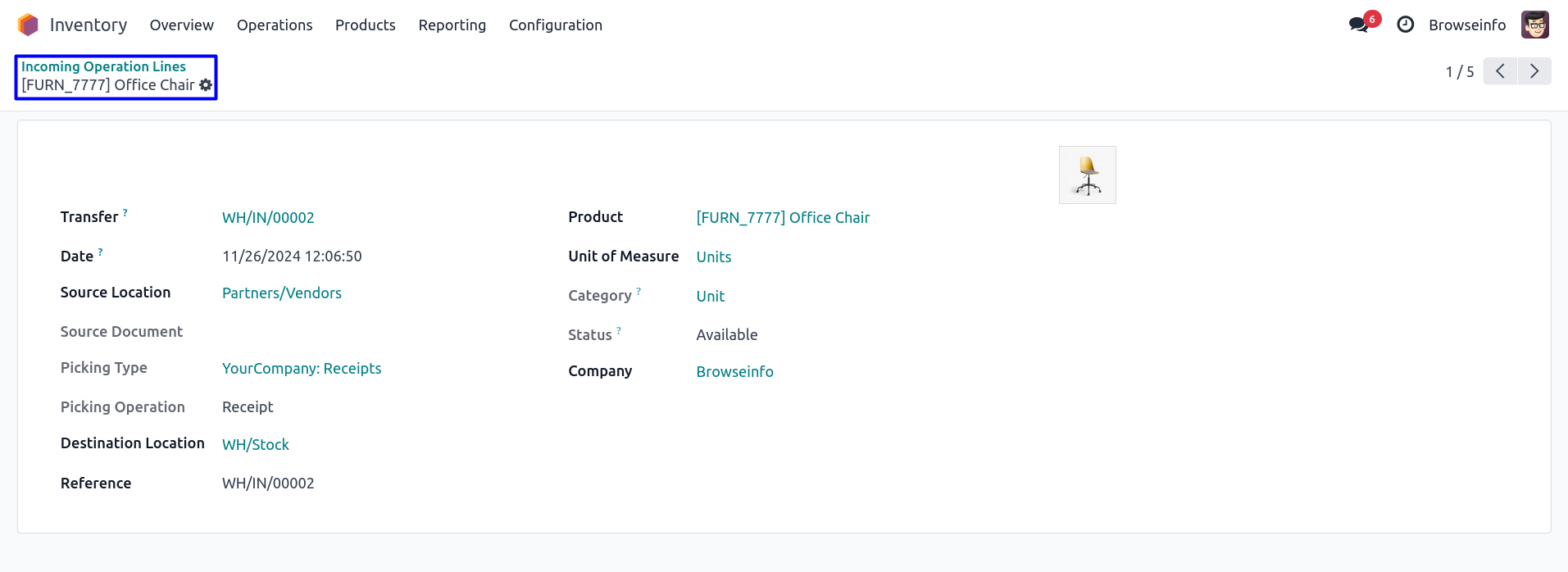
Form View of Incoming Operation Lines
You can see details of incoming operation lines in form view.
Incoming Operation Lines Group By Any of the Custom Group
Incoming Operation Lines Filters by Any of the Custom Filter
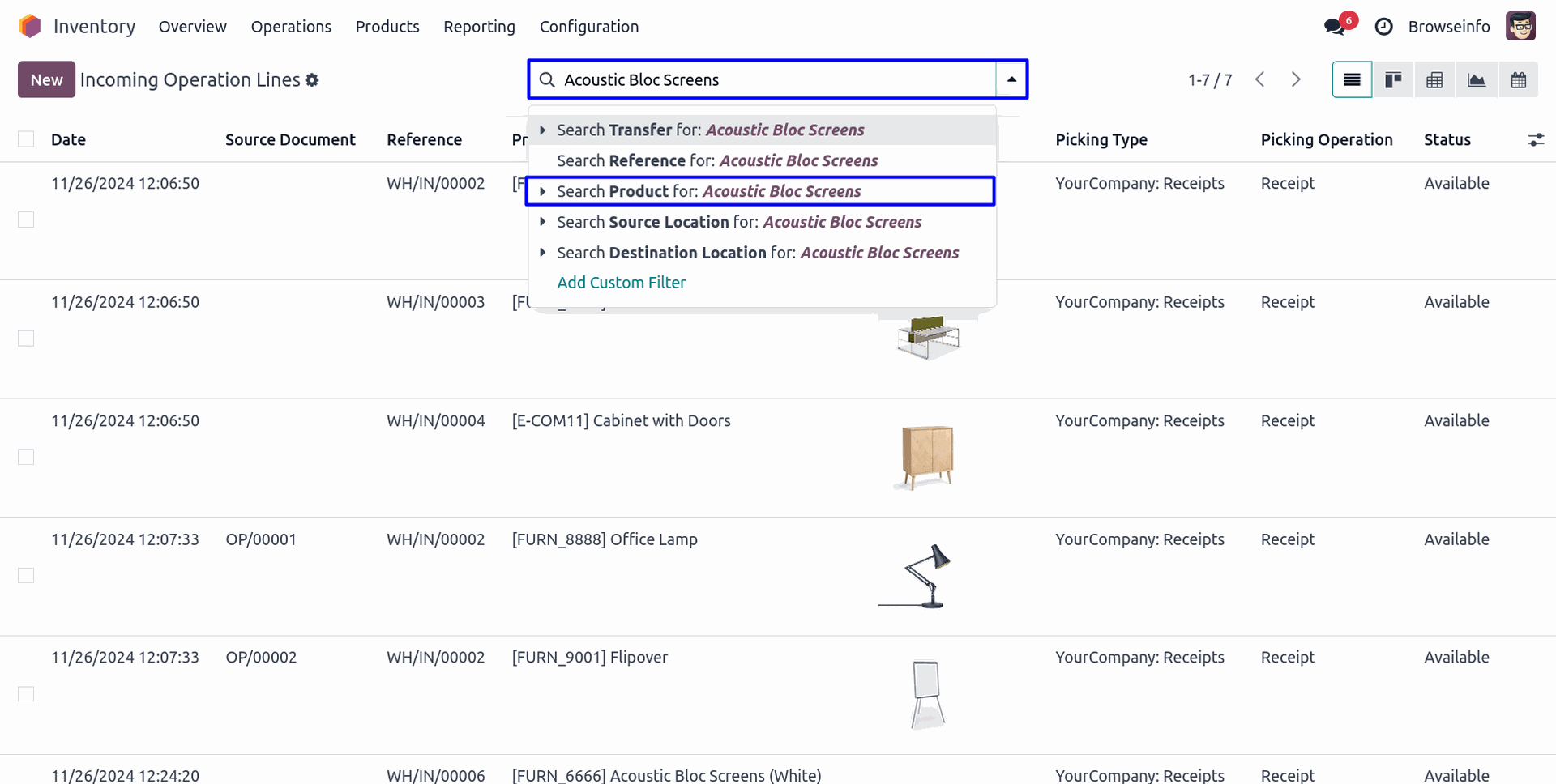
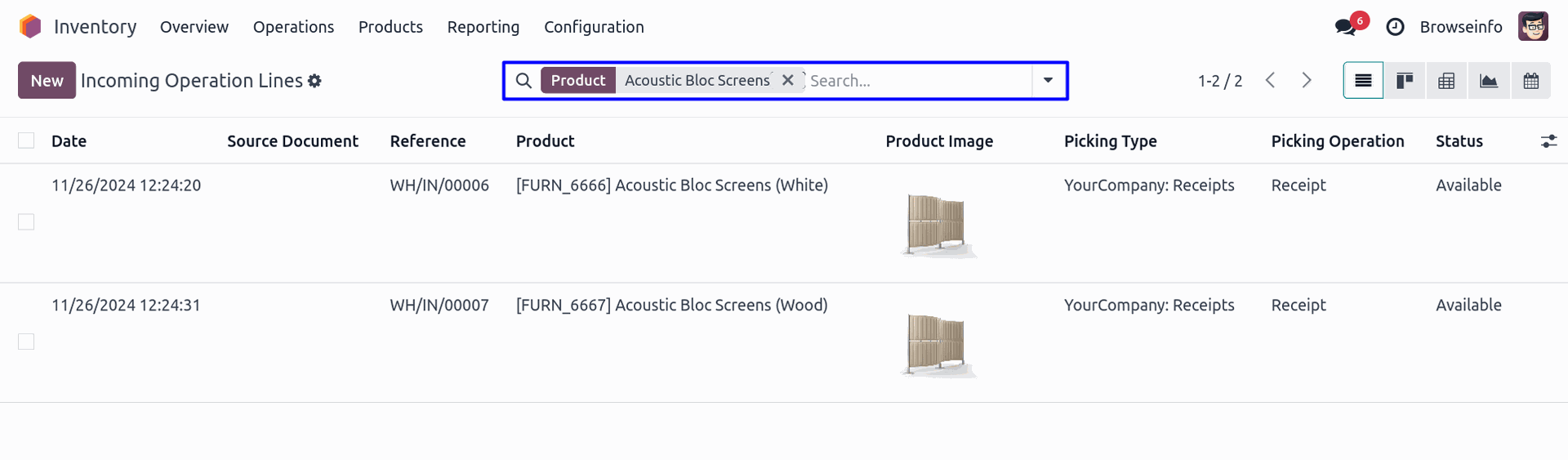
Search View of Incoming Operation Lines
You can search incoming operation lines by any of the given suggestion.
Kanban View of Incoming Operation Lines
Pivot View of Incoming Operation Lines
Graph View of Incoming Operation Lines
Calendar View of Incoming Operation Lines
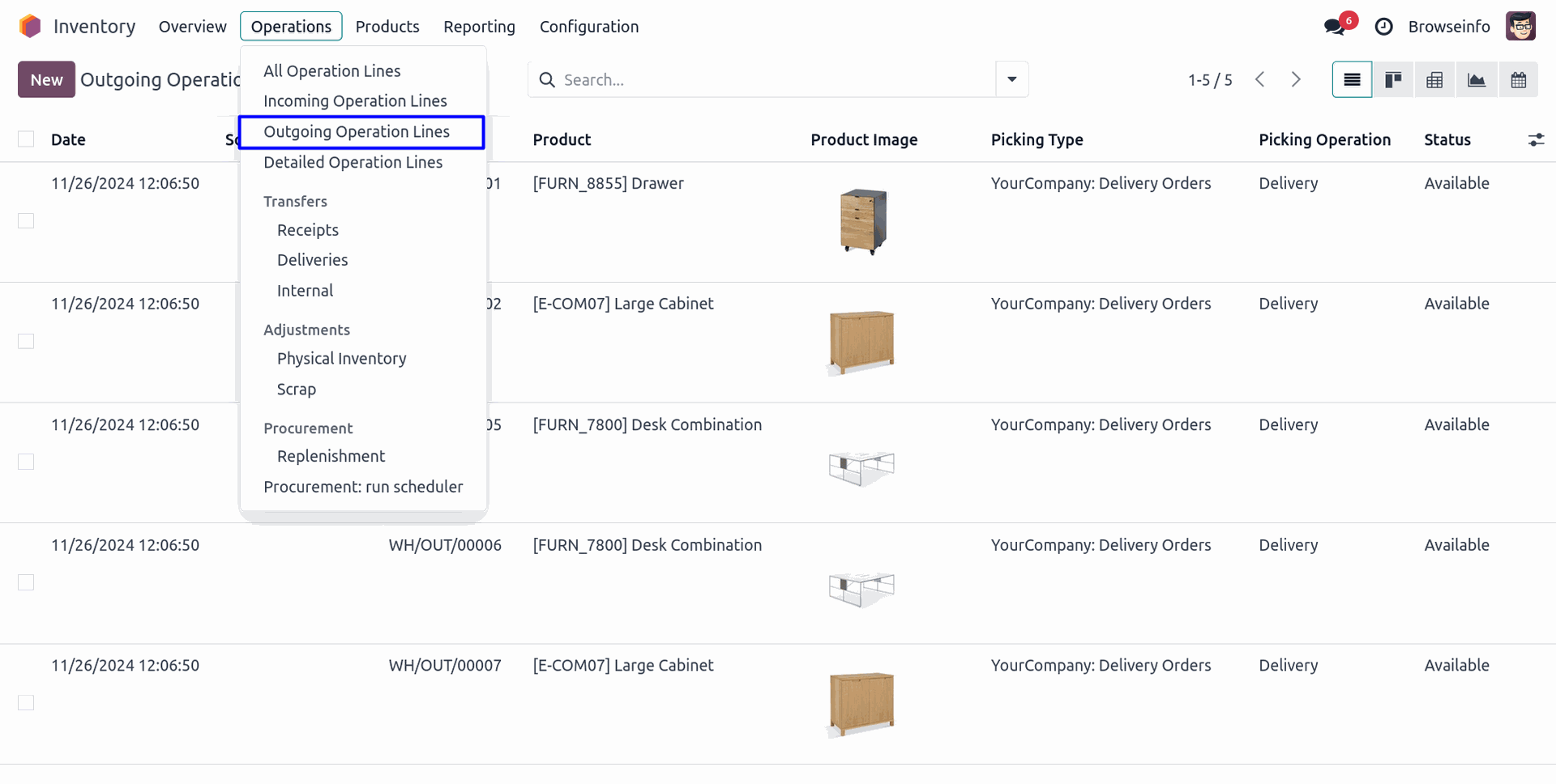
List View of Outgoing Operation Lines
Goto Inventory -> Operations -> Outgoing Operation Lines menu in that you can see outgoing operation lines in list view.
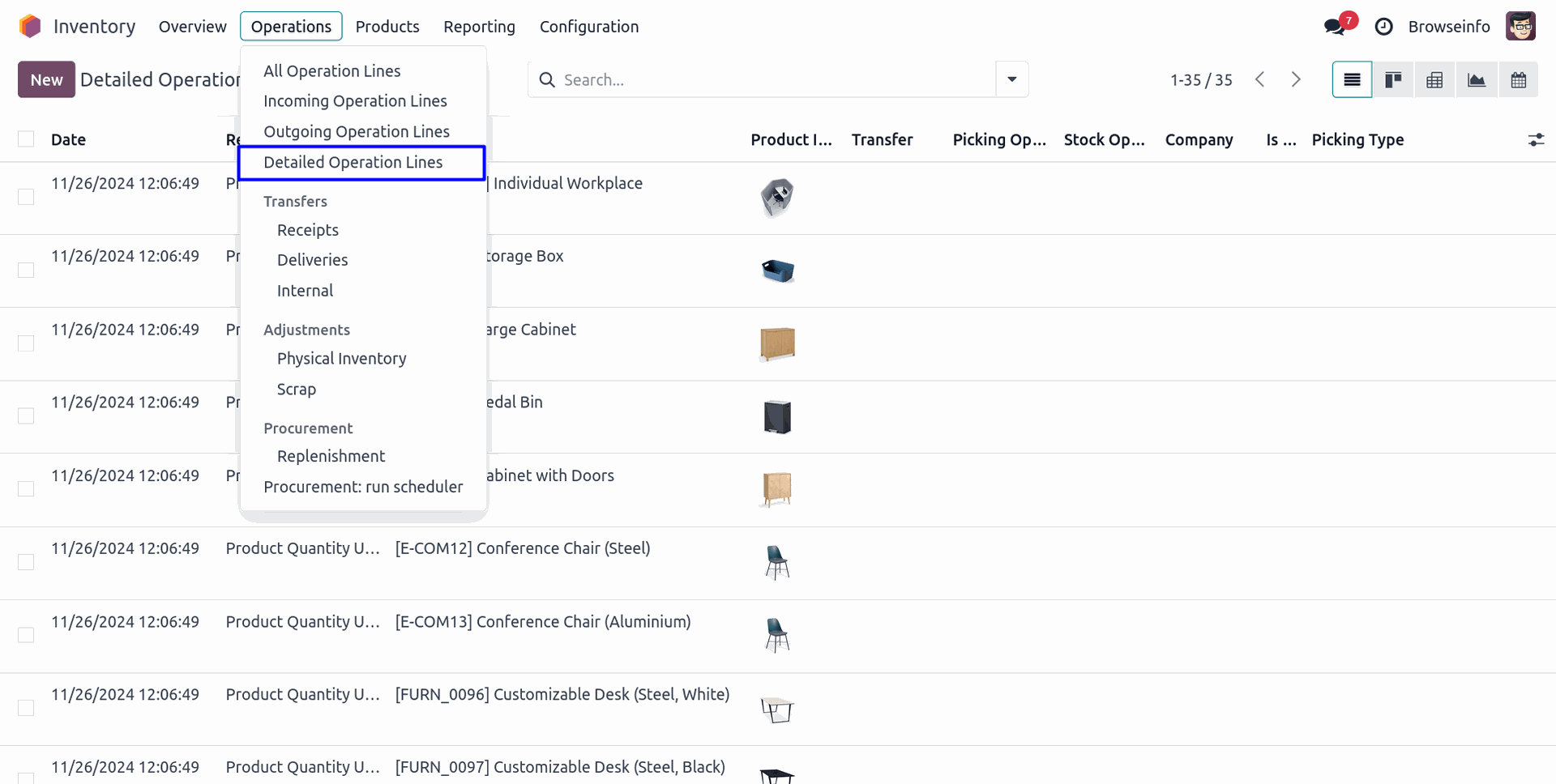
List View of Detailed Operation Lines
Goto Inventory -> Operations -> Detailed Operation Lines menu in that you can see detailed operation lines in list view.
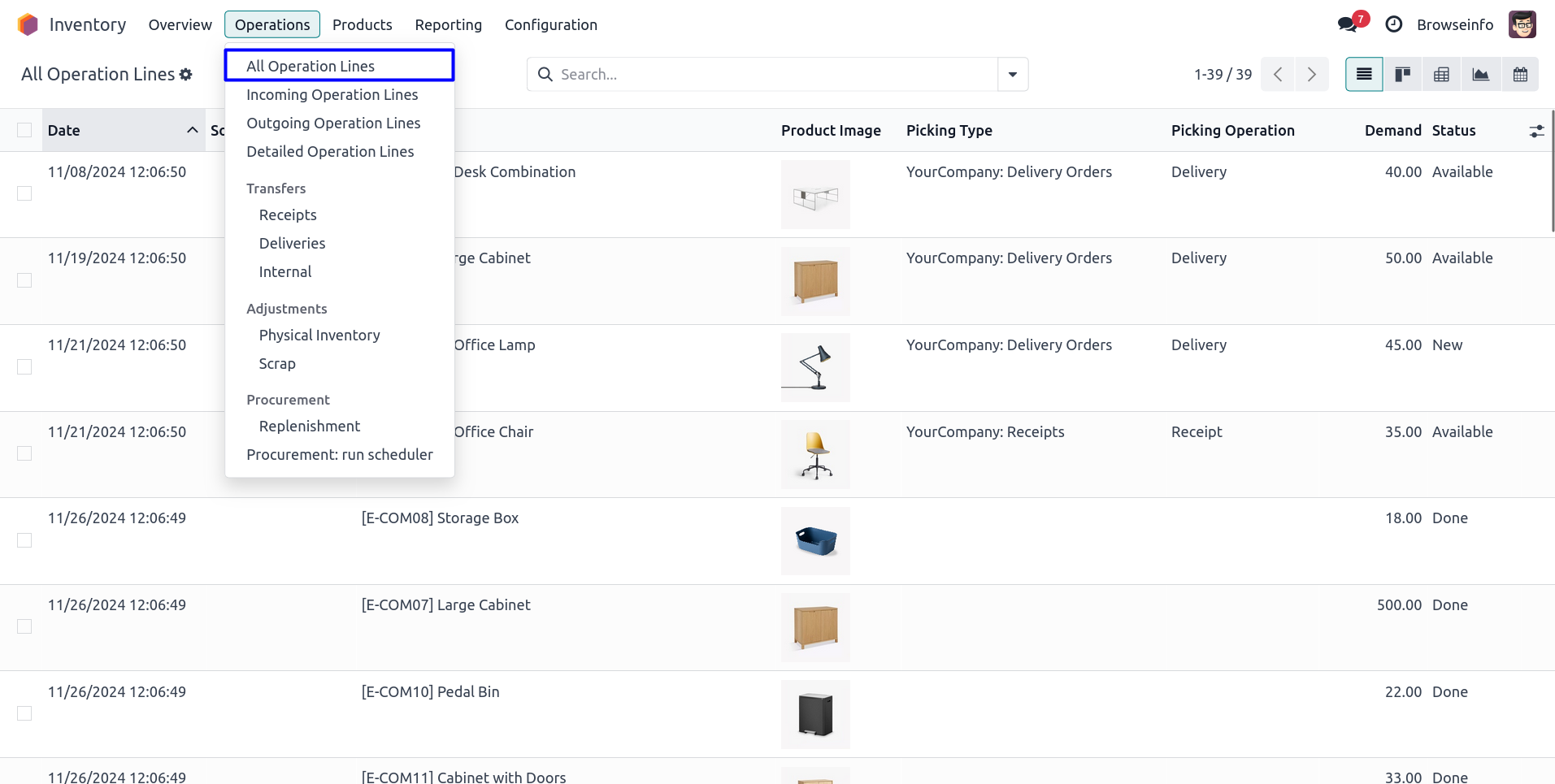
List View of All Operation Lines
Goto Inventory -> Operations -> All Operation Lines menu in that you can see all operation lines in list view.
Advanced Filtering and Grouping Capabilities
The module provides powerful filtering and grouping options that allow users to analyze stock operation lines according to their business requirements. Users can group records by product, operation type, warehouse, source location, destination location, responsible user, company, scheduled date, and many other criteria.
These advanced search capabilities help organizations generate meaningful operational insights and make better inventory management decisions.
Improve Inventory Visibility Across Warehouses
Organizations operating multiple warehouses often need consolidated access to stock movement information. This module provides centralized visibility into inventory operations across different warehouse locations.
Users can review receiving activities, delivery operations, internal transfers, and detailed stock movements from dedicated operation line views. This helps management teams monitor warehouse performance and maintain inventory accuracy across the entire supply chain.
Enhanced Reporting and Decision Making
The availability of pivot, graph, and search views enables businesses to perform detailed inventory analysis without exporting data to external tools. Managers can evaluate stock movement trends, monitor operational efficiency, and identify areas requiring attention.
By providing operation line-level visibility, the module helps organizations make informed decisions regarding inventory planning, warehouse resource allocation, and stock control processes.
Suitable for Various Industries
This module is beneficial for businesses operating in manufacturing, wholesale distribution, retail, eCommerce, logistics, and supply chain management industries. Any organization handling frequent inventory transactions can benefit from improved visibility into stock operation lines.
Whether managing incoming receipts, outgoing deliveries, internal transfers, or detailed stock operations, users gain quick access to the information needed for efficient warehouse management.
Improve Inventory Traceability
Inventory traceability is an important aspect of warehouse management, especially for businesses handling large volumes of products. This module allows users to access operation line information quickly and trace stock movements across various warehouse processes. By reviewing operation line records, users can identify when products were received, transferred, or delivered and track inventory activities with greater accuracy.
The ability to view detailed operation lines helps warehouse teams maintain better inventory records and simplifies stock verification processes. This enhanced traceability supports compliance requirements and improves overall inventory control.
Reduce Time Spent on Stock Monitoring
Warehouse personnel often spend significant time navigating through multiple stock picking records to locate specific product movements. With dedicated operation line views, users can directly access relevant stock movement information without opening individual transfers one by one.
The centralized visibility of incoming operations, outgoing operations, and detailed operation lines helps users locate records faster, review inventory transactions efficiently, and monitor warehouse activities with minimal effort. This streamlined workflow contributes to increased productivity and faster operational execution.
Flexible Data Analysis for Business Users
Different departments within an organization may require different perspectives on inventory data. Warehouse managers may focus on daily stock movements, while management teams may require analytical reports to evaluate operational performance.
The combination of list, kanban, pivot, graph, calendar, and search views provides flexibility for various business scenarios. Users can analyze inventory operations based on products, locations, dates, warehouses, operation types, or responsible users. This flexibility enables organizations to transform raw inventory data into actionable business insights and improve decision-making processes across departments.
Conclusion
Delivery Order, Receipt, and Stock Picking Line Views enhance Odoo inventory management by providing comprehensive visibility into stock operation lines through multiple analytical views. With advanced filtering, grouping, reporting, and visualization capabilities, users can efficiently monitor inventory movements, improve warehouse productivity, and make data-driven operational decisions. This module simplifies inventory analysis while helping organizations maintain accurate and well-organized warehouse operations.
